Canva wedding invitation: how to make, print and send one, then track RSVPs
Make a wedding invitation in Canva step by step: free vs Pro, 5x7 print settings with bleed, sending it on Messenger, and the RSVP tracking Canva leaves out.
To make a wedding invitation in Canva, search "Wedding Invitation", pick a 5 x 7 inch template, replace the text and colours, then download it as PDF Print with bleed for printing or as a PNG for Messenger. Canva Free is enough for the design. What Canva doesn't do is tell you who is coming, so plan your RSVP separately.
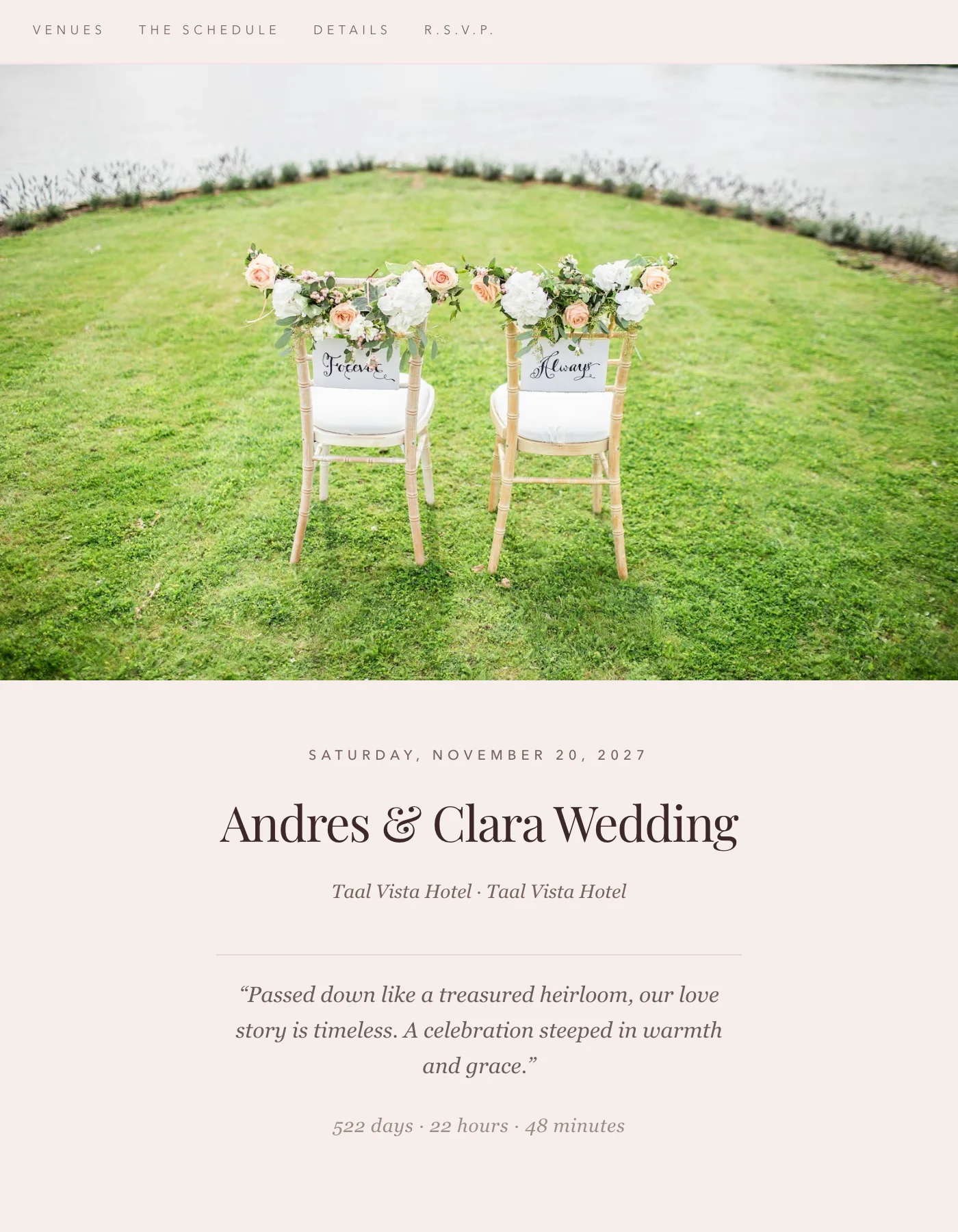
Every Canva price and setting below was checked on Canva's own pages in September 2026. If you want to see what a guest sees when they RSVP on a phone, tap through a sample invitation first. The R.S.V.P. link in its menu jumps to the reply form.
Is Canva free for wedding invitations?
Yes, for most couples. The free plan covers the templates, the editor and the downloads you need. Pro adds more templates, premium photos and print colour settings.
| On canva.com/en_ph, Sept 2026 | Free | Pro |
|---|---|---|
| Price | ₱0 | ₱300 a month, or ₱2,500 a year |
| Templates | 1.6+ million | 3.6+ million, including premium |
| Stock photos, graphics and fonts | 4.7+ million | 141+ million |
| Download PNG, JPG, PDF | Yes | Yes |
| Print-ready CMYK export | No | Yes |
| Publish a website | Yes, with a "Designed with Canva" footer | Yes, footer removable |
Watch for premium content. A template or element marked Pro shows a watermark on the Free plan. You can pay for that one element when you download, or upgrade. A paid element is licensed to that one design only, so if you copy it into your save-the-date, you pay again.
Free elements are safe to print. Canva's Content License Agreement lists "invitations" and "printed materials" among permitted uses, "without any reproduction quantity limit". The one catch sits in its disclaimers: Canva doesn't clear trademarks or logos that appear in free content, so skip any template element with a brand on it.
How do you make a wedding invitation in Canva, step by step?
- Start from the right size. On the Canva home page, search "Wedding Invitation". Canva's own wedding invitation page calls 5 x 7 inches the classic size. That's the size photo printers call 5R, so any local print shop can handle it.
- Browse Canva's wedding invitation templates and pick one whose layout already has room for two venues and your sponsors, so you aren't fighting it. Skip anything marked Pro if you want to stay on Free.
- Replace every line of text: names, parents' names if you're including them, date, time, ceremony venue, reception venue, dress code or motif, and a line that says how and by when to RSVP. Our invitation wording samples have formal and casual versions.
- Change the colours through the template's own swatches so every element updates together. Printing? Avoid neon pinks and electric blues. Canva's print colour guide warns those come out softer on paper.
- Keep the script font big. Canva's proofing guide says not to go below size 7 for print. A tita reading thin calligraphy at arm's length needs far more than that.
- Put the RSVP details in writing: a real date ("Please reply by January 15") and a link or QR code. Canva's free QR code generator can draw one inside the design.
- Proofread with someone else. A wrong date or a misspelled sponsor's name means reprinting the whole batch.
What print settings does a Canva invitation need?
Turn on bleed, download PDF Print with crop marks, and order one test copy. The full sequence, from Canva's margins and bleed help page:
- Go to File, then Settings, and select Show print bleed. Canva adds 0.125 inches (3.175 mm) on every side, so a 5 x 7 card becomes 5.25 x 7.25 inches before trimming. Stretch your background into that edge and keep text inside the margin.
- Choose Share, then Download, then PDF Print. According to Canva's file type guide, PDF Print is 300 dpi. PDF Standard is 96 dpi, too soft for card stock.
- Tick "Crop marks and bleed" so the printer can cut straight.
- Ask the shop about colour. The CMYK colour profile option is Pro-only, so on Free you'll send an RGB file, and the colours get converted at printing, which is where bright shades shift. Ask to see one printed card before the full run.
If you'd rather not deal with a print shop, Canva Print ships within the Philippines. Compare its price against your local printer. Our digital vs printed cost guide has 2026 prices for Metro Manila shops and studios.
How do you send a Canva invitation digitally?
Send a PNG in Messenger or Viber, with the RSVP link typed underneath as its own message. An image can't hold a tappable link, so the text message has to carry it. Messenger's ad reach equals 83.3 percent of Filipino adults at the end of 2025, so that's where most guests will see it.
The other options, by what they're good for:
- PDF Standard for email, as an attachment guests can save.
- MP4 if you animated the design. It plays in the chat, which a PNG can't.
- A public view link from the Share menu opens the design in a browser, handy for a group chat of cousins.
- A Canva website. Free users can publish up to five live websites on a free Canva address. Free sites carry a "Designed with Canva" footer that only Pro removes. It's a good home for the schedule, venue maps and dress code.
The website is where Canva couples get stuck. It looks right, then someone asks, "Where do they RSVP?"
Can Canva track who is coming?
Only partly. Canva has a free forms feature that lists RSVPs among its uses and saves answers to Canva Sheets, which you can export as CSV. For a small wedding, that can be enough.
The limit is that the form doesn't know who you invited. Everyone gets the same form, so:
- You learn who answered, never who hasn't. With 70 households, you'll compare two lists by hand every few days.
- Guests type their own names. "Tita Baby", "Rosario Cruz" and "Mama ni Joy" might be the same person.
- A guest can list people you didn't invite, and you only find out when you read the answers.
- There are no reminders. Chasing the silent ones is on you, which our RSVP follow-up guide covers message by message.
Google Forms has the same shape. Our Google Forms RSVP guide shows where it starts to break.
Should you make your seating chart in Canva too?
It's fine for the printed board at the reception entrance. Canva lists 528 wedding seating chart templates. The trouble is timing. A Canva seating chart is a picture with names typed in, so every late RSVP, every added plus-one and every ninong who can't come means retyping. Plan tables somewhere that knows your guest list, then make the pretty board in Canva the week before. Our seating chart guide covers table sizes and where to put sponsors.
When is Canva alone enough?
When you can count your guests in one family group chat. For a civil wedding of 30, or a small church wedding where you'll message every household yourself, a Canva design plus a Canva or Google form is plenty. Spending money on an RSVP tool there would be a waste.
| Your wedding | What works |
|---|---|
| Up to ~40 guests you know personally | Canva design + Messenger, replies in a notes app |
| 40 to 100 guests | Canva design + Canva or Google form, checked weekly |
| 100+ guests, sponsors, two families' titas | Canva design + an RSVP tool that knows your guest list |
The split is roughly where chasing replies by hand starts taking your weekends. For templates beyond Canva, see our guide to wedding invitation templates. For a full digital invitation instead of a picture, see digital wedding invitations.
Keeping your Canva design and adding Ceremo for RSVPs
You can keep the Canva design you love and use Ceremo only for replies. You add your guest list in Ceremo, grouped by household. Each household gets its own RSVP link with its invited names already on it, so nobody types their name or makes an account. You get a notification when a household replies, and the pending list shows exactly who still needs a message.
To connect it to Canva, turn on Ceremo's RSVP-only page. Guests then see just the RSVP form, in your chosen colours and fonts. Paste its link into an RSVP button on your Canva website, or put the form right on the page with Canva's Embed; our help article walks through both. The same link works as a QR code on your printed 5 x 7 card; guests who arrive that way find their household by name. The RSVP-only page is part of Premium, a one-time ₱2,499.
If you'd rather skip Canva altogether, Ceremo's invitation maker builds the whole invitation website with the RSVP inside it. That's free for up to 50 guests, and the seating planner that seats your confirmed guests is free too.
Frequently asked questions
Is Canva free for wedding invitations?
Yes. Canva Free includes wedding invitation templates, the editor, PNG and PDF downloads and a free website address. Pro templates and elements carry a watermark on the Free plan until you pay for them or upgrade, and CMYK export for print is a Pro feature.
What size should a Canva wedding invitation be?
Canva calls 5 x 7 inches the classic wedding invitation size, the same as a 5R photo. With bleed turned on, Canva adds 0.125 inches on every side, so the file you give the printer is 5.25 x 7.25 inches before trimming.
Can I print a Canva invitation at a local print shop?
Yes. Download it as PDF Print, which is 300 dpi, tick Crop marks and bleed, and ask the shop for one test print before the full run. Canva's Content License Agreement allows invitations and printed materials made with its content without a reproduction quantity limit.
Can Canva collect RSVPs?
Partly. Canva Forms can collect answers into Canva Sheets, but the form does not know your guest list. It cannot tell you which households have not answered or send them reminders, so most couples pair the Canva design with a separate RSVP tool or a spreadsheet.
How do I send a Canva wedding invitation on Messenger?
Download the invitation as a PNG and send it as a photo, then add the RSVP link as a message under it so guests can tap it. A PDF works better for email, and a published Canva website gives you one link to share.